2025
Mico
UX/UI Design
Smart Product
Overview
Mico is a mushroom-shaped smart kitchen product designed to support amateur cooks and beginners. It simplifies meal preparation by allowing users to follow recipes interactively and entirely hands-free, making the cooking experience safer, cleaner, and more relaxed.
My contribution
App UI design system
Development of the mobile navigation flows
Hardware-software interactive prototyping using ProtoPie
Project’s scope
Mobile companion app, interactive smart kitchen product.
Timeframe
3 months, October 2025 - January 2026

01
Problem Framing
Many amateur cooks frequently rely on smartphones for step-by-step recipe guidance. However, traditional touch screens fail to accommodate real cooking conditions: when hands are wet or covered in ingredients, interacting with a phone becomes impractical and frustrating.


02
Product Concept
Mico is a smart kitchen companion designed to make meal preparation smooth, safe, and stress-free. It connects to a mobile recipe app and allows users to navigate through cooking steps using simple hand gestures, completely eliminating the need to touch a screen.

Recipe Browsing
Explore diverse cuisines and effortlessly find your next dish.


Customization
Adjust portions, check ratings, and save your favorite dishes in a tap.
Guided Cooking
Cook flawlessly with step-by-step guidance and smart built-in timers.

Safety Alerts
Protect your home with real-time air quality monitoring and warnings.


Social Sharing
Celebrate your achievements and share you best dishes!
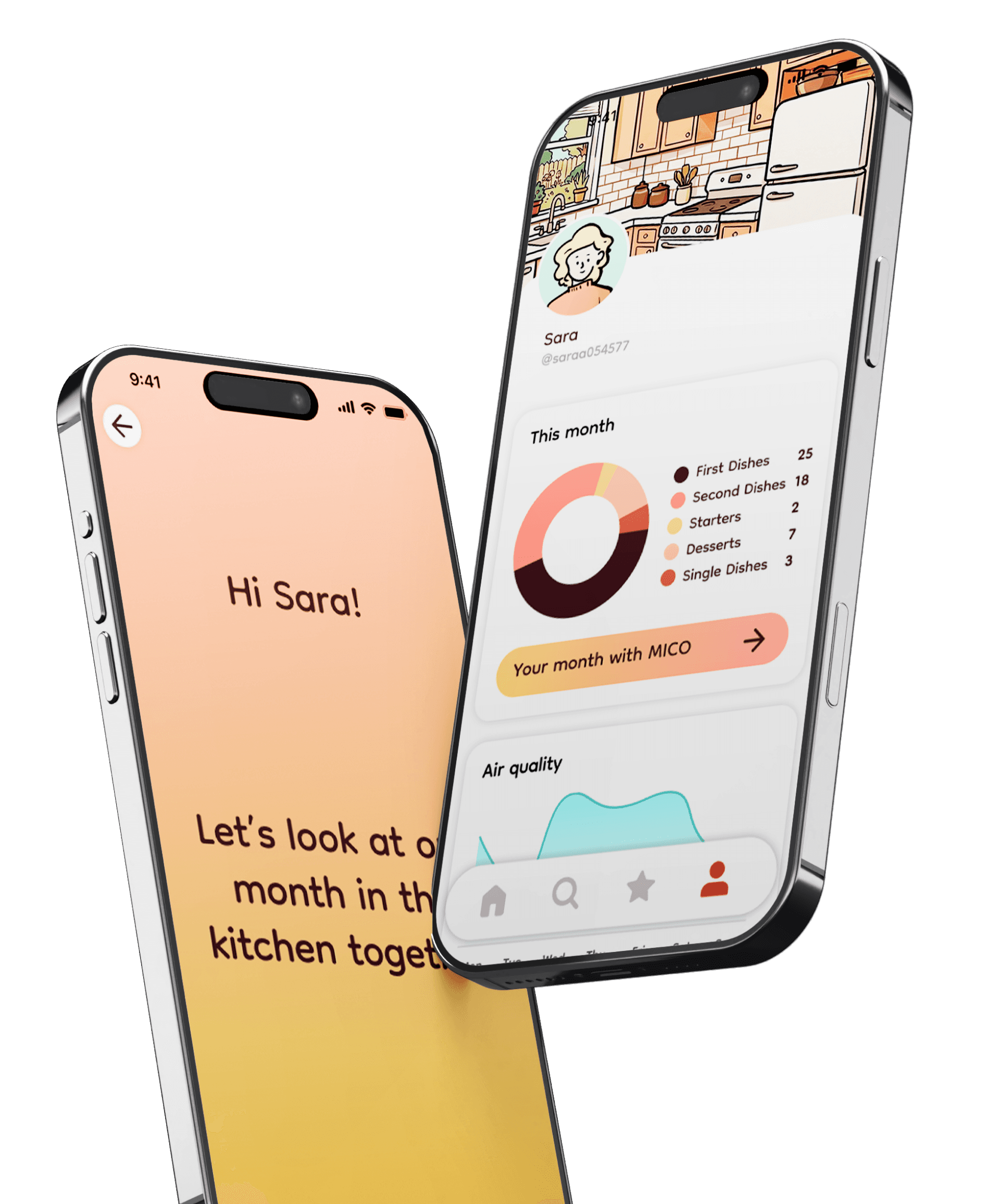
Statistics
Track your journey with monthly insights of habits and air quality.
03
Prototyping
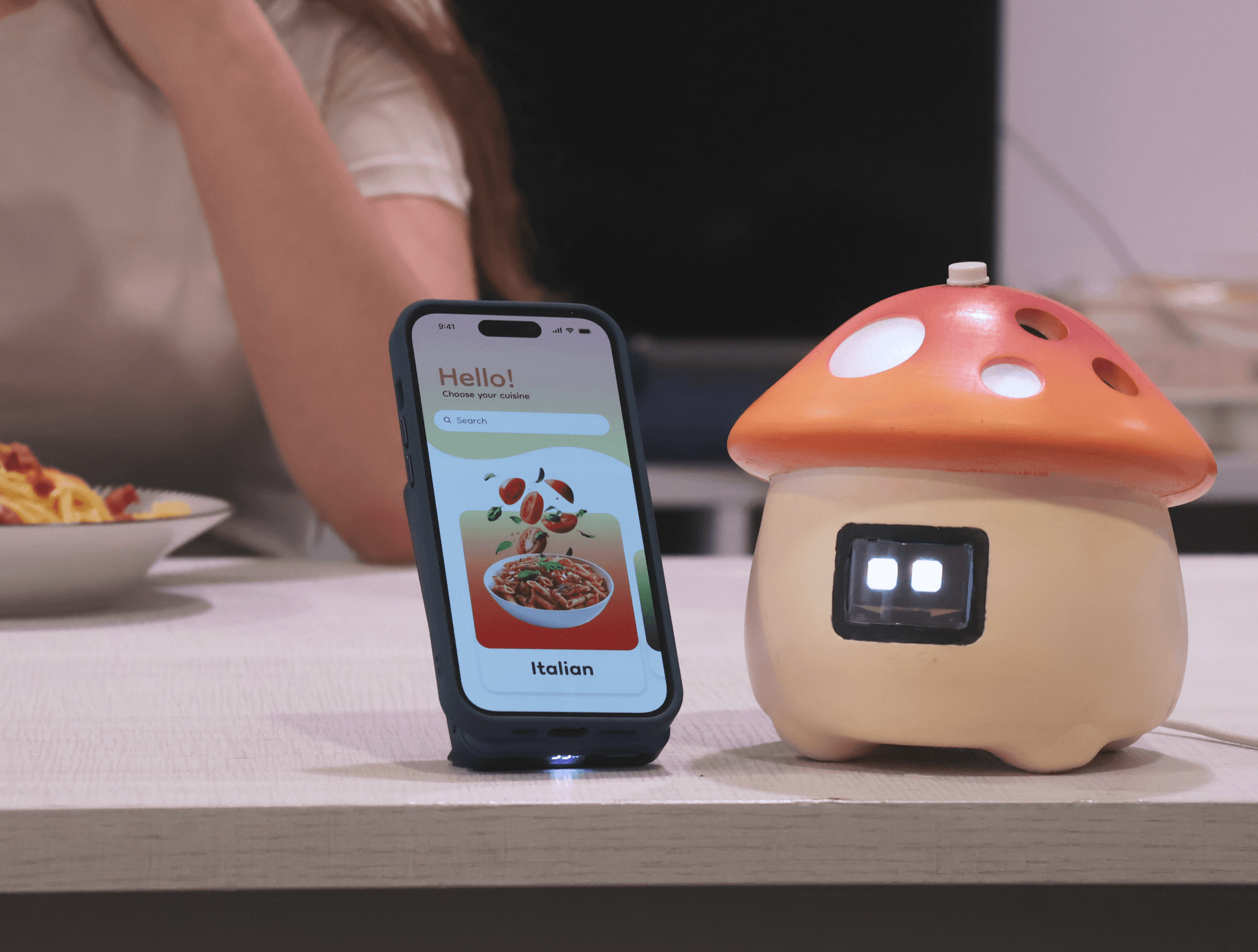
Built by synchronizing a ProtoPie mobile app with an Arduino UNO R4 WiFi. The physical device uses an ultrasonic sensor for gesture control, combined with an OLED screen, gas sensor, and audio module for real-time feedback.


CHANGE STEP
HC-SR04
ultrasonic sensor
9 cm → Next step
4 cm → Previous step
LED:
Step 1

Step 2

MP3:


Start/Stop TIMER
PUSH BUTTON
Click on the button to start the timer, also for the next step
LED:
Step 4

Step 4
MP3:


AIR ALARM
MQ - 2 GAS sensor
BAD AIR value: 450. Click on the button to stop.
LED:
BAD AIR!
MP3:


Air rechecking ...
Stop AIR ALARM
MQ - 2 GAS sensor
60s of rechecking time Better: Go previous step
Worst: Go to AIR ALLARM
LED:
Air rechecking ...
MP3: None


04
UI Design System


Key Learnings
End-to-end app design
Interactive hardware-software prototyping
Context-driven interaction
Additional credits
Project developed with Lucia Guan and Denny Shu for Politecnico di Milano.